
Every Lenovo laptops have conservation mode under their proprietary software Lenovo Vantage. The Vantage app have a feature conservation mode that limits or stops the laptop to maximum 80% charge and when it starts to discharge it don’t let it go below the 75% by charging it again. This is actually a decent feature for those who always keep the laptop on the desk with a charging cable plugged-in all the time.
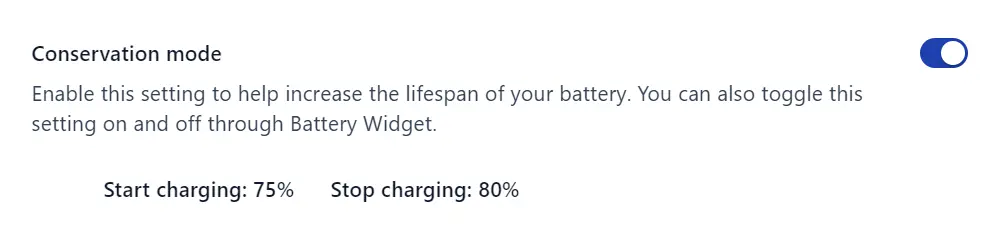
The basic idea behind this conservation mode is to save the battery lifecycle without forcing any stress on it. In a real life example, when we charge a laptop to 100% and then discharge it completely, this finishes the battery lifecycle quicker. While always charging is not safe because the laptop’s battery stays in stress zone.
Important information: Battery’s charging stress level increases a lot when it reaches above 90%. So it is better to keep the charge level between 20% to 80%, and do not keep the battery on charging mode if it is fully charged. Also, the temperature from 0% to 20% and 80% to 100% is always on higher side, that is why limiting them to low stress zone 20% to 80% will keep the batteries on cooler side.
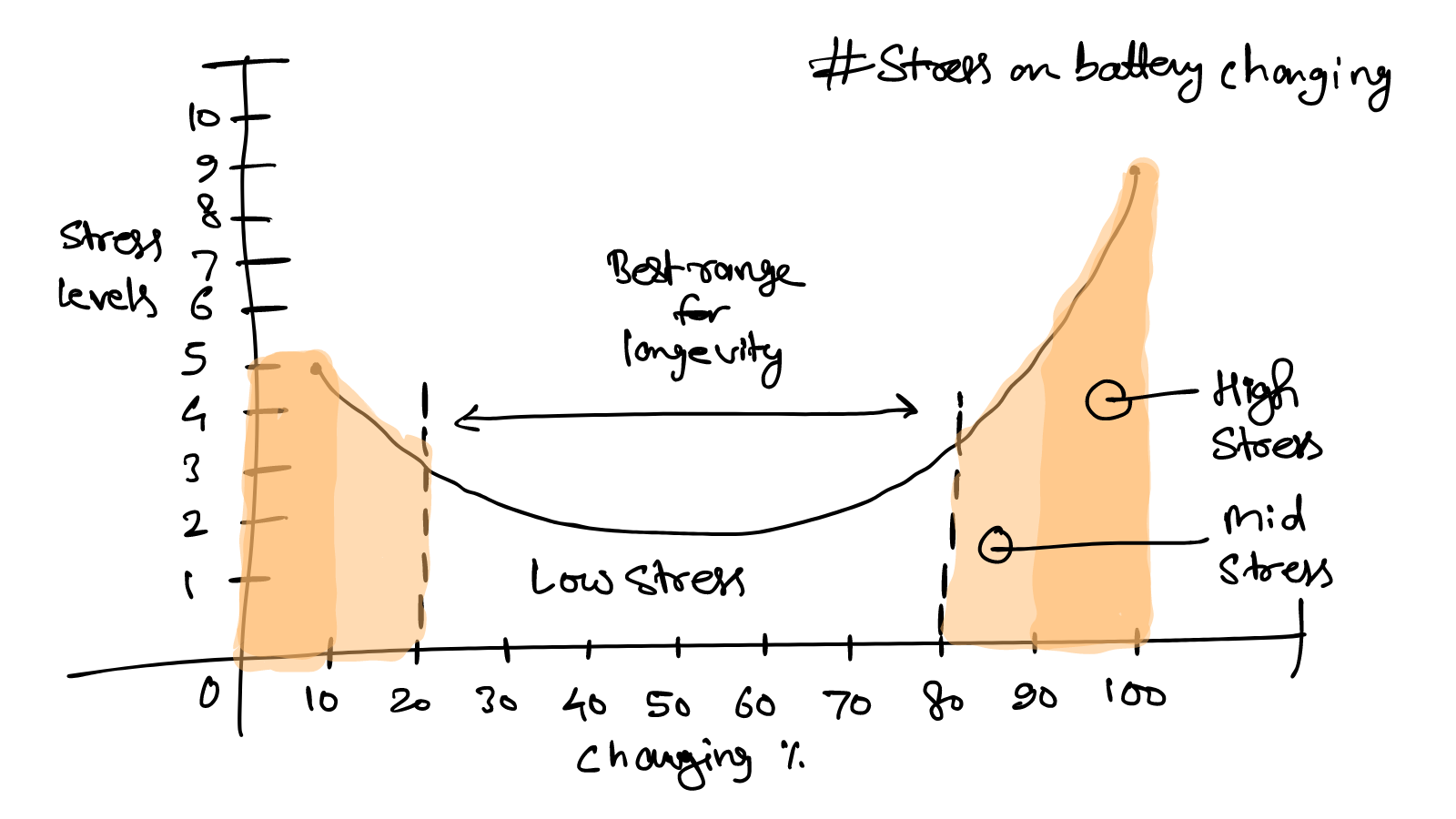
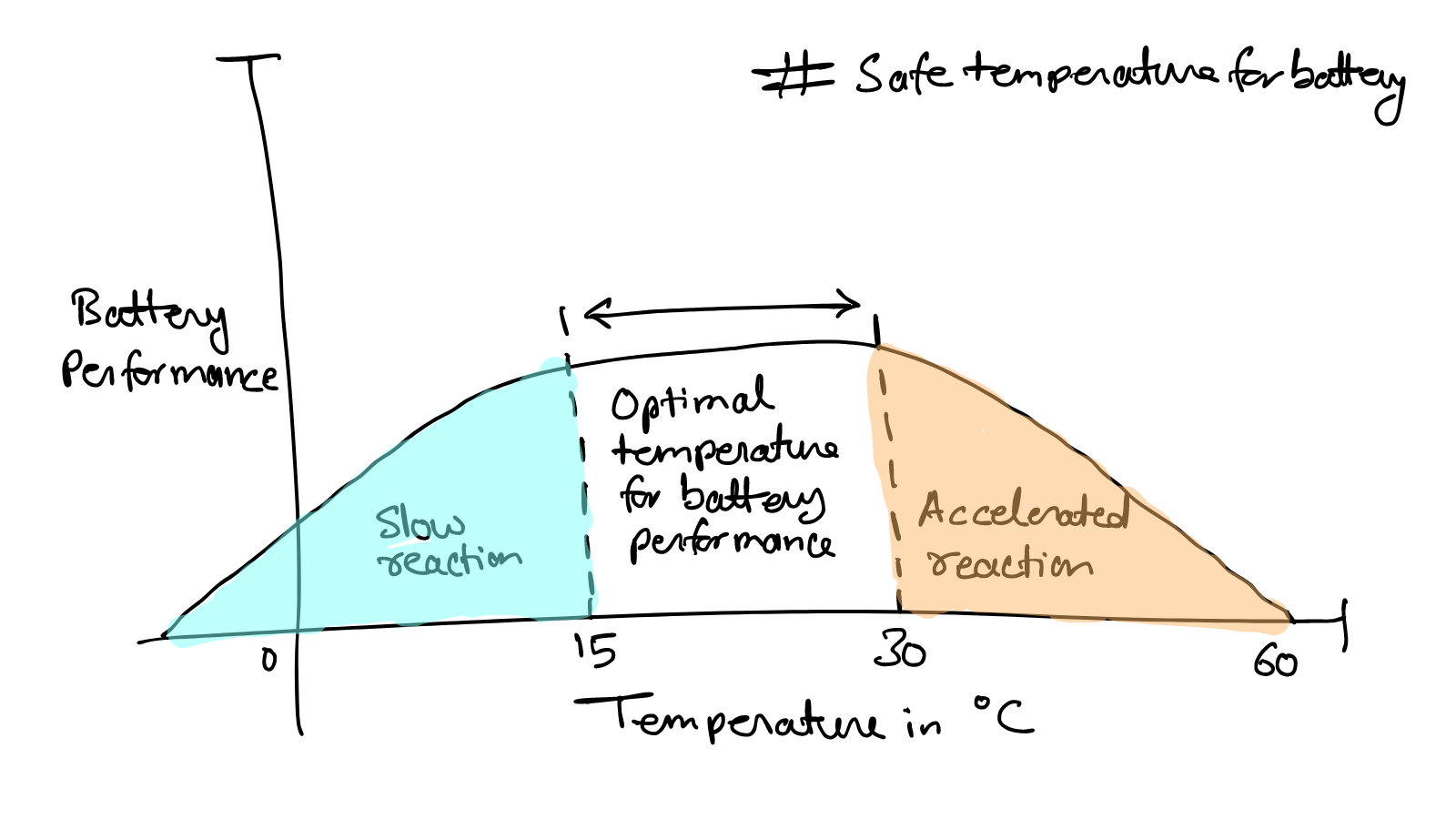
So to fix this always charging issue, conservation mode is made to keep the battery charging limit to 80% all the time, where the stress level is almost none. While it begins charging as soon as charging level drops, for a better range it is set to 75% as minimum. Occasionally, let the battery level drop to 20%.
So this is how conservation mode works on most Lenovo laptops and similar feature may be available with other laptop manufacturers but may be with some similar or different name.

Leave a Reply