
Python is the most popular language for artificial intelligence, and the main reason is its ecosystem. Instead of writing complex math and data code from scratch, you can import a library and get a battle-tested tool in one line. But the ecosystem is huge, and beginners often ask the same question:
- Which libraries do I actually need?
This guide covers the essential Python libraries for AI, explains what each one does in plain language, and shows you a sensible order to learn them.
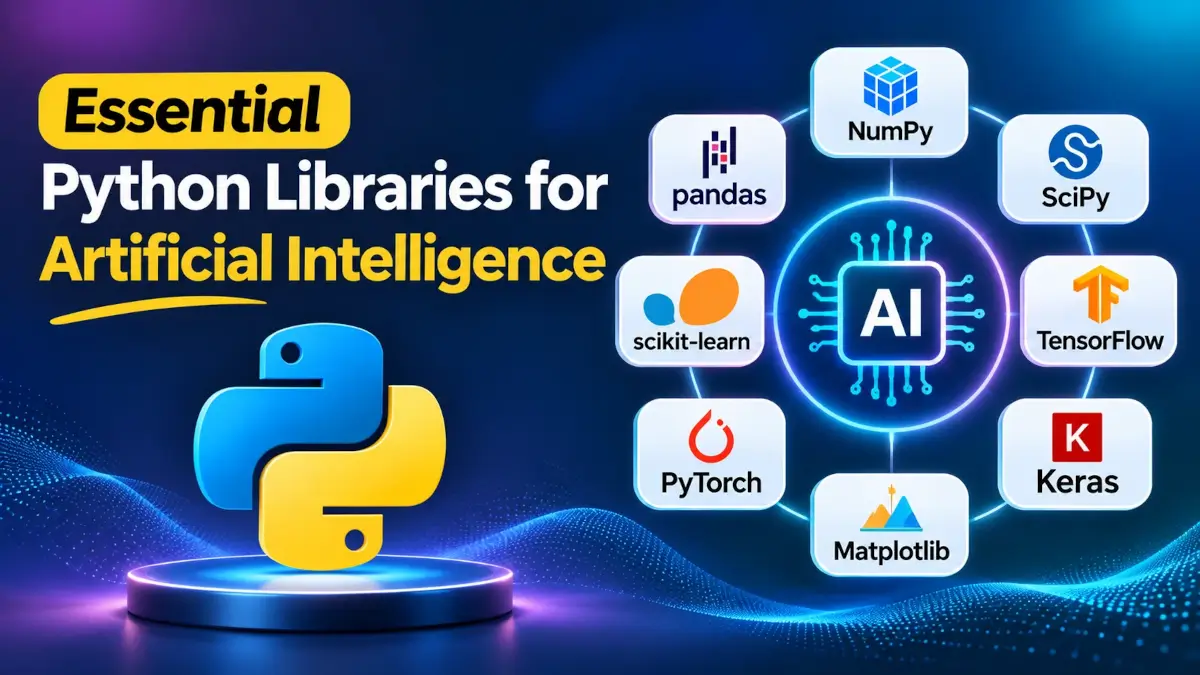
Quick overview – which library for which job?
| Task | Library to use |
|---|---|
| Numerical computing: | NumPy. |
| Data cleaning and analysis: | pandas. |
| Charts and visualization: | Matplotlib, Seaborn. |
| Classic machine learning: | scikit-learn. |
| Deep learning: | PyTorch, TensorFlow/Keras. |
| Pretrained language and vision models: | Hugging Face Transformers. |
| Computer vision: | OpenCV. |
| Natural language processing: | spaCy, NLTK. |
| Gradient boosting on tabular data: | XGBoost, LightGBM. |
| Building LLM applications: | LangChain, LlamaIndex. |
| Experiment tracking: | MLflow, Weights & Biases. |
1. numpy – the foundation of everything.
NumPy provides fast multi-dimensional arrays and mathematical functions. Almost every other library on this list is built on top of it, directly or indirectly.
Why it matters: AI is mostly math on large grids of numbers. NumPy does that math in optimized compiled code, which is far faster than plain Python loops.
import numpy as np

a = np.array([1, 2, 3])
b = np.array([4, 5, 6])
print(a * b)        # [ 4 10 18]
print(np.mean(a))   # 2.0
Learn it first. Its array concepts show up everywhere else.
2. pandas – your data workhorse.
pandas gives you the DataFrame, a table-like structure for loading, cleaning, filtering, and summarizing data from CSV files, Excel sheets, databases, and more.
Real-world AI projects spend most of their time on data preparation, and pandas is the tool for that job.
import pandas as pd

df = pd.read_csv("sales.csv")
print(df.head())
print(df.describe())
If you work with very large datasets, also look at Polars, a newer and very fast DataFrame library that is gaining popularity.
3. Matplotlib and Seaborn: See your data.
Matplotlib is the standard plotting library in Python. Seaborn sits on top of it and makes attractive statistical charts with less code.
Visualization helps you spot problems in your data, understand model behavior, and explain results to others.
import matplotlib.pyplot as plt

plt.plot([1, 2, 3, 4], [10, 20, 25, 30])
plt.title("Training Progress")
plt.show()
4. scikit-learn – classic machine learning made simple.
scikit-learn is the go-to library for traditional machine learning: regression, classification, clustering, dimensionality reduction, and model evaluation. Its consistent fit and predict interface makes it one of the easiest ways to learn how ML works.
from sklearn.datasets import load_iris
from sklearn.model_selection import train_test_split
from sklearn.ensemble import RandomForestClassifier

X, y = load_iris(return_X_y=True)
X_train, X_test, y_train, y_test = train_test_split(X, y, test_size=0.2)

model = RandomForestClassifier()
model.fit(X_train, y_train)
print("Accuracy:", model.score(X_test, y_test))
For many business problems with tabular data, scikit-learn or gradient boosting is often all you need. Not every problem requires deep learning.
5. PyTorch – the leading deep learning framework.
PyTorch is the most widely used framework for deep learning research and increasingly for production. It offers GPU acceleration, automatic differentiation, and a flexible, Pythonic style that makes debugging easier.
import torch
import torch.nn as nn

model = nn.Sequential(
    nn.Linear(10, 32),
    nn.ReLU(),
    nn.Linear(32, 1)
)

x = torch.rand(5, 10)
print(model(x).shape)  # torch.Size([5, 1])
Most new research papers and open-source models are released with PyTorch code, so learning it keeps you close to the cutting edge.
6. TensorFlow and Keras – a mature alternative.
TensorFlow is Google’s deep learning framework, and Keras is its user-friendly high-level API. Keras is known for being approachable, and recent versions of Keras can also run on top of other backends, including PyTorch and JAX. TensorFlow remains popular in some production and mobile deployments.
If you are a beginner choosing one framework, PyTorch is usually the safer pick today, but Keras is a great option if you want a gentle introduction.
7. Hugging Face Transformers: Pretrained models at your fingertips.
Transformers from Hugging Face gives you access to thousands of pretrained models for text, images, audio, and more. You can use a state-of-the-art model in a few lines instead of training one from scratch.
from transformers import pipeline

classifier = pipeline("sentiment-analysis")
print(classifier("I love learning Python for AI!"))
Related libraries from the same ecosystem include datasets for loading data, accelerate for simplifying multi-GPU training, and PEFT for efficient fine-tuning of large models.
8. OpenCV: Computer vision essentials.
OpenCV is the classic library for image and video processing: reading images, resizing, filtering, detecting edges and faces, and working with camera feeds.
import cv2

img = cv2.imread("photo.jpg")
gray = cv2.cvtColor(img, cv2.COLOR_BGR2GRAY)
cv2.imwrite("photo_gray.jpg", gray)
Use it for preprocessing images before feeding them into a neural network, or for real-time vision applications.
9. spaCy and NLTK: Natural language processing.
spaCy is fast and production-ready, offering tokenization, named entity recognition, part-of-speech tagging, and more. NLTK is older and great for learning language processing concepts and working with linguistic datasets.
import spacy

nlp = spacy.load("en_core_web_sm")
doc = nlp("Apple is opening a new office in Mumbai.")
for ent in doc.ents:
    print(ent.text, ent.label_)
For modern language tasks, many developers now combine these tools with Transformers, using spaCy for fast preprocessing and pretrained models for deeper understanding.
10. XGBoost and LightGBM: Winning on tabular data.
XGBoost and LightGBM implement gradient boosting, a technique that frequently outperforms deep learning on structured, spreadsheet-style data. They are staples in data science competitions and real-world business prediction.
from xgboost import XGBClassifier

model = XGBClassifier()
model.fit(X_train, y_train)
print(model.score(X_test, y_test))
11. LangChain and LlamaIndex: Building LLM applications.
When you build apps on top of large language models, such as chatbots, document search, and AI agents, frameworks help you connect models to your data and tools.
- LangChain helps you chain prompts, models, tools, and memory into workflows and agents.
- LlamaIndex focuses on connecting language models to your own documents and data sources for retrieval-augmented generation (RAG).
These libraries evolve quickly, so always check the current documentation, since function names and recommended patterns change often. For simple apps, calling a model provider’s official Python SDK directly is sometimes the cleanest option.
12. MLflow and Weights & Biases: Track your experiments.
When you train many models, it is easy to lose track of which settings produced which results. MLflow and Weights & Biases log parameters, metrics, and model files so you can compare runs and reproduce your best result later.
Start using one of them early. Future you will be grateful.
Honorable mentions:
- SciPy: scientific computing, optimization, and statistics.
- JAX: high-performance numerical computing and research.
- Optuna: automated hyperparameter tuning.
- FastAPI: serve your trained model as a web API.
- Gradio and Streamlit: build quick demo interfaces for your models.
- ONNX: export models for portable, optimized deployment.
Recommended learning path.
You do not need to learn everything at once. Here is a practical order:
- NumPy and pandas to handle data confidently.
- Matplotlib to visualize it.
- scikit-learn to understand core machine learning concepts.
- PyTorch to build neural networks.
- Hugging Face Transformers to use and fine-tune pretrained models.
- Specialty libraries (OpenCV, spaCy, LangChain) based on your project goals.
- MLflow and FastAPI when you are ready to track and deploy your work.
How to install them?
Create and activate a virtual environment first, so each project stays isolated. Then install the core stack:
pip install numpy pandas matplotlib seaborn scikit-learnFor PyTorch, use the official selector on pytorch.org to get the right command for your operating system and GPU. For the Hugging Face tools:
pip install transformers datasets accelerateFrequently Asked Questions (FAQ).
What is the most important Python library for AI? NumPy is the foundation, but for building models, scikit-learn (classic ML) and PyTorch (deep learning) are the most important to learn.
Should I learn PyTorch or TensorFlow? For most beginners today, PyTorch is the better choice because of its popularity in research and open-source models. TensorFlow and Keras are still valid, especially if your workplace uses them.
Do I need to learn all these libraries? No. Start with NumPy, pandas, and scikit-learn, then add libraries as your projects require them.
Which library is best for beginners? scikit-learn, thanks to its simple and consistent interface. It teaches core ML concepts without requiring GPU knowledge.
Which libraries are used for generative AI? PyTorch, Hugging Face Transformers, and LLM frameworks such as LangChain and LlamaIndex are widely used, along with official SDKs from model providers.
Are these libraries free? Yes. All the libraries covered here are open source and free to use.
Conclusion.
The Python AI ecosystem can feel overwhelming, but it becomes manageable once you see how the pieces fit: NumPy and pandas for data, scikit-learn for classic ML, PyTorch for deep learning, and Hugging Face and LangChain for modern language models.
Pick one small project, such as predicting house prices or classifying movie reviews, and use two or three of these libraries to finish it. Hands-on practice will teach you more than any list ever could.
Found this guide helpful? Share it with someone starting their AI journey.
