
On October 21, 2026, the PHP security team released emergency security patches for two critical remote code execution (RCE) vulnerabilities, CVE-2026-109618 and CVE-2026-109619, tracked collectively as PHP2Shell.
If your website runs on PHP, which includes every WordPress site, this affects you.
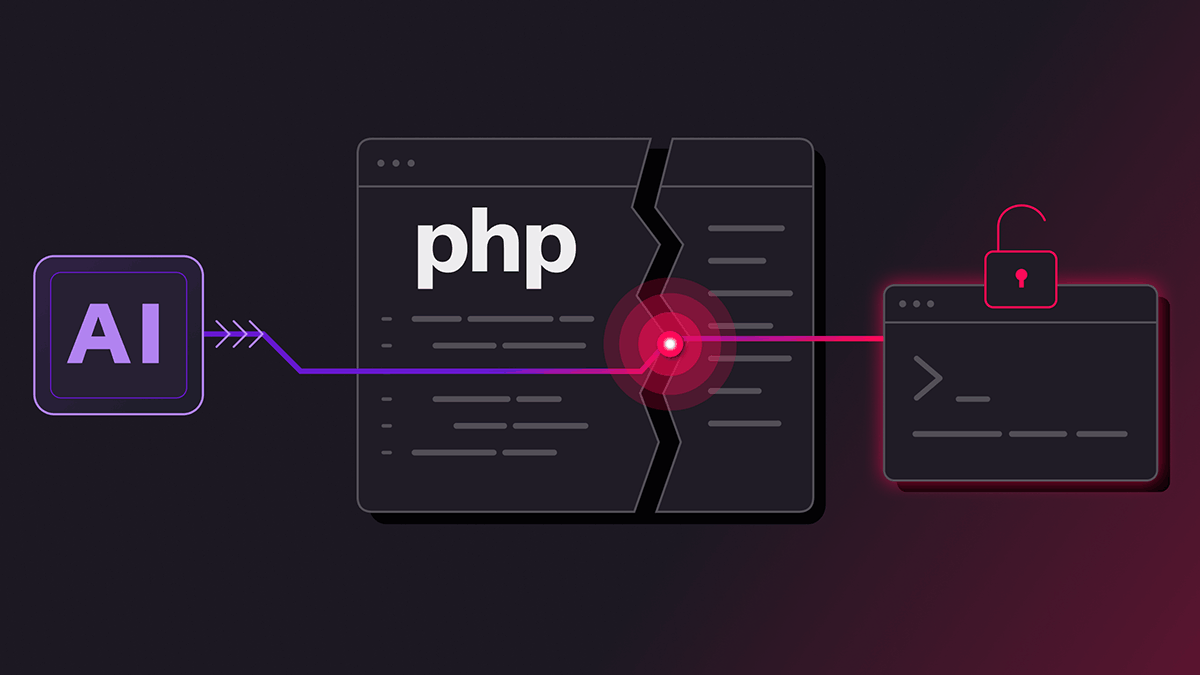
This guide explains what happened, how to find out whether your server is exposed, and how to patch it. So nothing to worry about just spare some time on the patch.
Quick summary:
- PHP2Shell is a pair of critical flaws inside PHP itself, not in a plugin or theme.
- Attackers can run code on your server without logging in.
- Fixed versions are PHP 8.5.12, 8.4.27, 8.3.36 and 8.2.35.
- PHP 8.1 and older get no official release, only source backports.
- Updating WordPress does not fix it. You must update PHP and restart PHP workers.
What is PHP2Shell?
PHP2Shell is the nickname for two vulnerabilities in how PHP handles memory and request state.
CVE-2026-109618 is an out-of-memory flaw. Out-of-memory handling can interrupt PHP while internal request data is only partially initialized. Attackers can chain this weakness into code execution as the web worker account.
CVE-2026-109619 is a stale global state flaw. It enables unauthenticated heap use-after-free, memory disclosure, and remote code execution with the web worker’s privileges.
Both are rated 9.2 under CVSS v4.0.
Why PHP2Shell is such a big deal?
Nearly every PHP server is in scope. Every PHP installation that serves web requests is affected, including PHP-FPM, Apache with mod_php, php-cgi, FrankenPHP and LiteSpeed. The flaws affect nearly all PHP releases back to version 5.4.
No login is required. Any visitor who can reach your site can attempt an attack.
Your application may never see it. WatchTowr says the risk is highest on mod_php, where an attack can succeed before any application code runs. That means a WordPress security plugin may not stop it.
Exploitation is already happening. Researchers reported seeing PHP2Shell exploited in the wild at scale. A proof-of-concept tool called “PHP2Shell” also came to light.
The disclosure was rushed. The patches were planned for responsible disclosure on October 22, but information leaked online on October 20, and the Foundation released them a day earlier. Security researcher Kevin Beaumont called it one of the biggest vulnerabilities in years. Others have compared it to Log4Shell.
Why WordPress users should act today?
WordPress is software that runs on PHP and it powers around half of the web, so any WordPress site on a vulnerable PHP version is exposed through its server. Updating WordPress, its plugins or themes does not replace the server’s PHP installation.
What you need to do depends on your hosting:
- Shared hosting: Your host must patch the server. Contact support and ask which PHP version is running and whether PHP workers were restarted.
- Managed WordPress hosting: Ask the provider to confirm the PHP2Shell fix is deployed. If it is self managed, try to update to latest version.
- VPS or dedicated server: You are responsible for patching. Follow the steps below.
It is not just for WordPress only, but other CMS as well like Drupal, Joomla, ClassicPress, many ecommerce systems, and similar other CMS that uses PHP.
Am I affected?
If your server runs PHP and handles web requests, assume you are affected until you confirm otherwise. Here are the fixed versions by branch:
| Branch | Fixed in |
|---|---|
| PHP 8.5 | 8.5.12 |
| PHP 8.4 | 8.4.27 |
| PHP 8.3 | 8.3.36 |
| PHP 8.2 | 8.2.35 |
| PHP 8.1 | No official release. Minimal source backport only. |
| PHP 8.0 | No official release. Minimal source backport only. |
| PHP 7.4 | No official release. Minimal source backport only. |
| PHP 7.3 and older | No fix. Upgrade to a supported branch. |
PHP 8.1 and older no longer receive updates from the PHP project. The backports are meant for people building from source or without access to a long-term-support vendor. They are published in the php/php-src repository on GitHub, one branch per series.
If you are on PHP 8.1 or older, the safest long-term fix is to move to PHP 8.2 or newer. Test your theme and plugins on a staging copy first.
Important information for Linux users: Distributions such as Debian, Ubuntu and RHEL often backport security fixes without changing the version number. If your distribution uses backported fixes, use its security advisory to confirm patch status rather than relying only on the displayed PHP version. Debian 13 Trixie has been patched, just update.
How to check your PHP version?
- Command line: Run
php -v. Make sure you check the version your web server actually uses (PHP-FPM or Apache), not only the command-line version. - WordPress dashboard: Go to Tools → Site Health → Info → Server and read the PHP version. This is the simplest way to check.
- Hosting control panel: cPanel, Plesk and similar panels show the PHP version for each domain. Contact your web hosting service provider if not showing.
How to patch PHP2Shell?
Step 1: Inventory every PHP install. Include staging sites, old subdomains, Docker containers and forgotten servers.
Step 2: Patch internet-facing systems first. These have a remote, unauthenticated attack surface.
Step 3: Update PHP. The method depends on how PHP was installed:
- Ubuntu or Debian: Update your package lists and upgrade PHP packages (
sudo apt update && sudo apt upgrade). Do not assume that running apt upgrade automatically fixes the vulnerability. Check the package changelog or your distribution’s security advisory. - Built from source: Download the fixed release from php.net, or apply the backport for older branches.
- Docker: Official Docker php images need you to rebuild and redeploy.
- Remi repository users: Anyone who relies on rpms.remirepo.net, a volunteer-maintained repository, is advised to switch to distribution packages or build PHP from source so they can patch immediately.
Step 4: Restart everything. Restart PHP-FPM, Apache modules and every long-running PHP process. A patched package does nothing while old workers keep running.
For example, on a server using PHP-FPM, restart the matching service (such as php8.3-fpm) and your web server.
Step 5: Verify. Confirm the running version or the vendor’s advisory status, and document who approved the change.
If you cannot patch right away!
Temporary mitigations exist, but none fully protects you. PHP core developer Gina Peter Banyard warned that no PHP2Shell mitigations would fully block potential attacks and that applying the official security patches is the only permanent defense.
- On PHP 8.5, set fatal_error_backtraces=0 and restart every worker.
- Disabling session upload progress is another listed temporary control. One analysis cautions that this alone is not enough.
- Hiding error messages does not prevent exploitation of the stale-state vulnerability, and running multiple workers lowers the success rate per request but does not remove the flaw.
- Use a web application firewall. PHP sites behind Cloudflare already have an initial set of WAF rules for the known exploit vectors. Treat this as a stopgap too.
Signs your server may already be compromised!
Because attacks are active, check for a break-in while you patch.
Huntress recommends alerting on PHP worker processes launching shells, interpreters, or download tools. On WordPress, also look for:
- Unknown PHP files in
wp-content/uploads, themes or plugins. - New administrator accounts you did not create.
- Modified core files or unexpected changes to
.htaccess. - Unusual outbound connections or sudden CPU spikes.
If you find any of these, patching is not enough. Restore from a clean backup, rotate passwords, API keys and WordPress salts, and investigate before going live again.
Frequently Asked Questions.
What is PHP2Shell?
PHP2Shell is the nickname for two critical PHP vulnerabilities, CVE-2026-109618 and CVE-2026-109619, that can let attackers execute code remotely on a web server without authentication.
Which PHP versions fix PHP2Shell?
The fixed versions are 8.5.12, 8.4.27, 8.3.36 and 8.2.35. PHP 8.1, 8.0 and 7.4 only have minimal source backports, and older versions have no fix.
Is my WordPress site affected by PHP2Shell?
Yes, if its server runs a vulnerable PHP version. WordPress runs on PHP, and the flaws are in PHP itself, so updating WordPress or its plugins does not fix them.
Does updating WordPress fix PHP2Shell?
No. You need to update the PHP installation on your server, or ask your host to do it, and then restart PHP processes.
Do I need to restart my server after patching PHP?
You need to restart PHP-FPM, Apache modules and any long-running PHP processes. Old workers can keep running the vulnerable code until they are restarted.
Can I protect my site without patching?
Only partly. Temporary mitigations and WAF rules reduce exposure to some attack paths, but PHP maintainers say patching is the only permanent defense.
What if I am still on PHP 7.4 or 8.0?
Those branches get only minimal source backports, with no official release. The better path is to upgrade to a supported branch, PHP 8.2 or newer, after testing on staging.
How do I know if my site was hacked?
Look for unknown PHP files, new admin users, modified core files, unusual outbound traffic, and PHP processes launching shells. If you find any, restore from a clean backup and rotate all credentials.
Final thoughts.
PHP2Shell is serious because it hits the runtime under millions of websites, requires no login, and is already being exploited. The steps are simple: find your PHP version, update to a fixed release, restart PHP, and check for signs of compromise. If you are on shared hosting, send your provider a message today.

Leave a Reply