
Every time you open a website, send a WhatsApp message, stream a video, or make a video call, seven invisible layers work together in the background. These layers are called the OSI Model — the backbone of modern computer networking.
Most people use the internet daily, but very few understand how data actually travels from one device to another. The OSI Model breaks this journey into 7 logical steps, making networking easier to learn, troubleshoot, and master.
The OSI Model (Open Systems Interconnection Model) is the foundation of computer networking. It simply explains how data travels from one device to another over a network, step by step, using seven layers.
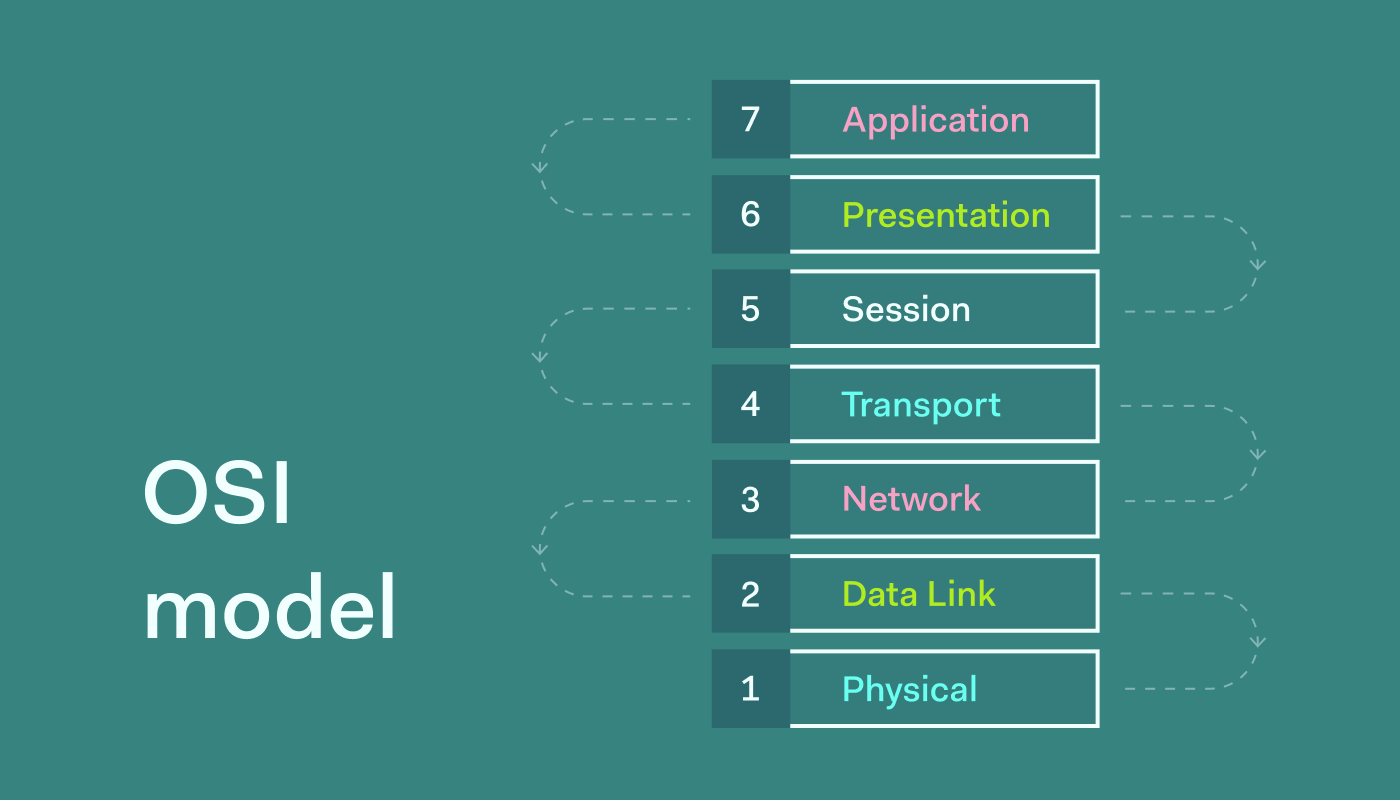
Whether you are a student, networking beginner, CCNA aspirant, system admin, developer, or IT professional, understanding OSI layers is mandatory.
What is the OSI Model?
The OSI Model is a 7 layers conceptual framework developed by ISO (International Organization for Standardization) that standardizes how data communication happens over a network. In short we also call it: 7 layers of OSI model.
Why OSI Model is Important?
- Helps understand networking easily.
- Used for troubleshooting network issues.
- Standardizes vendor-independent communication.
- Foundation for TCP/IP, Internet, LAN, WAN.
- Frequently asked in interviews & exams.
OSI Model Layers (Top to Bottom).
| Layer Number | Layer Name |
|---|---|
| 7 | Application |
| 6 | Presentation |
| 5 | Session |
| 4 | Transport |
| 3 | Network |
| 2 | Data Link |
| 1 | Physical |
Mnemonic to remember OSI Layers:
All People Seem To Need Data Processing
The 7 OSI Layers (A Quick View).
- Layer 7 – Application: Web, Email, DNS, FTP, etc.
- Layer 6 – Presentation: Encryption, Compression, Formats, etc.
- Layer 5 – Session: Login & Connection control, etc.
- Layer 4 – Transport: TCP vs UDP, Ports, Reliability, etc.
- Layer 3 – Network: IP Addressing & Routing, etc.
- Layer 2 – Data Link: MAC Address, Switching, etc.
- Layer 1 – Physical: Cables, Signals, Hardware, etc.
Layer 7: Application Layer.
What is Application Layer?
The Application Layer is the closest layer to the user with the devices or gadgets. It provides network services directly to user applications.
This layer does not include the actual application (Chrome, Gmail), but the network interface used by the application.
Functions of Application Layer:
- User interface for network services.
- File transfer.
- Email services.
- Web browsing.
- Network resource access.
Common Protocols:
- HTTP / HTTPS.
- FTP / SFTP.
- SMTP / POP3 / IMAP.
- DNS.
- SNMP.
- Telnet.
- SSH.
Real-World Examples:
- Opening a website in Chrome.
- Sending email via Gmail.
- Uploading files using FTP.
- Resolving domain using DNS.
- Remote login via SSH.
Layer 6: Presentation Layer:
What is Presentation Layer?
The Presentation Layer acts as a translator between the application and the network.
It ensures data sent by one system is readable by another.
Functions of Presentation Layer:
- Data translation:
- Encryption & decryption:
- Compression & decompression:
- Character encoding (ASCII, Unicode):
Examples:
- HTTPS encryption (SSL/TLS).
- JPEG, PNG image formatting.
- MP3 audio compression.
- ZIP file compression.
- Converting UTF-8 ↔ ASCII.
Protocols & Formats:
- SSL / TLS.
- MIME.
- JPEG, PNG, GIF.
- MP3, MP4.
- ASCII, Unicode.
Layer 5: Session Layer.
What is Session Layer?
The Session Layer manages sessions (connections) between two devices.
It controls when communication starts, maintains, and ends.
Functions of Session Layer:
- Session establishment.
- Session maintenance.
- Session termination.
- Checkpointing & recovery.
Real-World Examples:
- Video call session on Zoom.
- Login session on websites.
- File transfer resume after failure.
- Database session management.
Protocols:
- NetBIOS Session Service.
- RPC (Remote Procedure Call).
- PPTP.
- SMB session control.
Layer 4: Transport Layer.
What is Transport Layer?
The Transport Layer ensures end-to-end communication and reliable data transfer.
Key Responsibilities:
- Segmentation & reassembly.
- Error control.
- Flow control.
- Congestion control.
- Port addressing.
Protocols:
- TCP (Transmission Control Protocol).
- UDP (User Datagram Protocol).
- SCTP.
TCP vs UDP:
| Feature | TCP | UDP |
|---|---|---|
| Reliable | Yes | No |
| Speed | Slower | Faster |
| Use Case | Web, Email | Video, Gaming |
Real-World Examples:
- Website loading uses TCP.
- Video streaming uses UDP.
- Online gaming uses UDP.
- Email uses TCP.
Layer 3: Network Layer.
What is Network Layer?
The Network Layer handles routing and logical addressing.
It decides best path for data packets to reach destination.
Functions:
- IP addressing.
- Routing.
- Packet forwarding.
- Path selection.
- Fragmentation.
Protocols:
- IP (IPv4, IPv6).
- ICMP.
- IPSec.
- RIP, OSPF, BGP.
Devices:
- Routers.
- Layer 3 switches.
Examples:
- Packet routing on the Internet.
- Ping using ICMP.
- VPN tunneling.
- ISP routing traffic.
Layer 2: Data Link Layer.
What is Data Link Layer?
The Data Link Layer ensures node-to-node delivery and handles MAC addressing.
Sublayers:
- LLC (Logical Link Control).
- MAC (Media Access Control).
Functions:
- Framing.
- Error detection (CRC).
- MAC addressing.
- Flow control.
- Access control.
Protocols:
- Ethernet.
- ARP.
- PPP.
- HDLC.
- Frame Relay.
Devices:
- Switches.
- Bridges.
- NIC (Network Interface Card).
Examples:
- Ethernet communication.
- MAC address identification.
- ARP resolving IP to MAC.
- Switching in LAN.
Layer 1: Physical Layer.
What is Physical Layer?
The Physical Layer deals with actual hardware transmission of raw bits.
Functions:
- Bit transmission.
- Voltage levels.
- Data rate.
- Cable specifications.
- Connectors.
Devices:
- Cables (Ethernet, Fiber).
- Hubs.
- Repeaters.
- Modems.
Examples:
- Ethernet cable.
- Fiber optic transmission.
- Electrical signals.
- Wireless radio waves.
OSI Model vs TCP/IP Model.
| OSI Model | TCP/IP Model |
|---|---|
| 7 Layers | 4 Layers |
| Conceptual | Practical |
| ISO Standard | DARPA |
| Educational | Internet use |
OSI Model Troubleshooting (Layer Wise).
- Layer 1: Cable cut or unplugged.
- Layer 2: MAC conflict.
- Layer 3: IP routing issue.
- Layer 4: Port blocked or disabled.
- Layer 5: Session timeout.
- Layer 6: Encryption error.
- Layer 7: Application crash.
Advantages of OSI Model.
- Easy learning.
- Standardization.
- Vendor independent.
- Better troubleshooting.
Disadvantages of OSI Model.
- Theoretical.
- Complex.
- Not directly implemented.

Leave a Reply